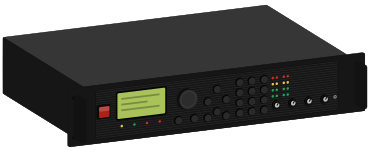
fractal · rack modeler

Axe-Fx II

Fractal Audio Axe-Fx II
start learningthe Axe-Fx II
not connected
plug in over usb
firmware
ares
reviewed
aug 29, 2026

real amps, each read from its schematic, ready to send to your Axe-Fx II.

installs straight to a slot

If your blocks have channels A to D instead of X and Y, you have a current-generation device: read the Axe-Fx III, FM9 or FM3 guide. Presets and firmware do not cross between the two generations.

the guide

7 chapters

your Axe-Fx II models → the real amp

01

6 of 91 real amps8 of 91 real ampsevery Axe-Fx II model

top for your Axe-Fx II

02

read this first

03

five things that explain almost every problem.

  1. 01

    the front input does nothing while input 1 is set to rear.

    INPUT 1 LEFT SELECT is set to REAR. That is a menu setting on the I/O page, not a physical switch.

  2. 02

    the cab block goes off when you feed a real amp.

    Cab block on into anything full-range: headphones, an FRFR speaker, the desk, your computer. Cab block off into anything that ends in a real guitar speaker. A cab block is a speaker simulation. Into a real cab it stacks two speakers. Left off into a full-range system, you hear a raw amp with no speaker at all.

  3. 03

    scenes and x/y are two different axes.

    A scene stores which blocks are bypassed and whether each block is on X or Y. Every preset has eight scenes. X and Y are two complete sets of settings inside a single block, switched with one button.

  4. 04

    store, or you lose it.

    Any change lights an edited indicator. Press STORE before you change preset. Change preset with that lit and the edit is lost, with no confirmation and no undo.

  5. 05

    there are no footswitches on the modeler.

    None on the modeler itself. An MFC-101 connects over a network cable.

presets for your Axe-Fx II

04

91 with a factory model matchpresets for Axe-Fx II

learn · 8 lessons · 48 min

05
  1. 01what you actually bought4
  2. 02making a sound, correctly6
  3. 03scenes and X/Y8
  4. 04the controls you will use6
  5. 05plugging it into things6
  6. 06the grid, and what runs out7
  7. 07what the model names mean5
  8. 08playing live6

reference · 13 pages

06
  • controlsinteractive
  • inputs and outputsinteractive
  • specifications
  • levels
  • cabs and user IRs
  • rig setupinteractive

open the reference

which one to buy

07

which Fractal should you buy?

three current-generation Fractal devices and the previous one. Scenes and channels work the same on all of them. The grid, the amp count and the footswitches do not.

Axe-Fx III · FM9 · FM3 · Axe-Fx II

compare them

installing presets

08

presets install straight into a slot you pick.

full steps

Fractal Audio · Axe-Fx II · Ares

The previous-generation Fractal rack processor, running the Ares firmware line. Eight scenes per preset, X/Y switching in every block, a Tone Match block the newer devices do not have, and an onboard IR capture utility. Discontinued, and still widely gigged.