devices · Axe-Fx III · setup
from the page
to your modeler.
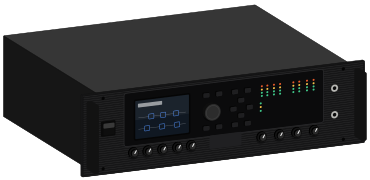
- step 01
plug the Axe-Fx III into your computer with a usb cable.
- step 02
open gridleak in Chrome and pick Axe-Fx III in the header.
- step 03
on a preset page, press send. it loads into the edit buffer.
- step 04
press Store on the Axe-Fx III. pick a location, then press Enter.
if it doesn’t work
rig setup
pick one: the answer follows you onto amp pages.
leave it on
You're feeding a full-range system, so the Axe-Fx III has to supply the speaker.
driven from the front panel and Axe-Edit, straight into monitors.
- 01Guitar INPUT 1
- 02OUTPUT 1 XLR L+R Monitors or interface
- 03USB Computer
- cab block
- On
- editing
- Axe-Edit III over USB is far faster than the panel
Get this one right first
The cab block rule
Cab block on into anything full-range: headphones, an FRFR speaker, the desk, your computer. Cab block off into anything that ends in a real guitar speaker. A cab block is a speaker simulation. Into a real cab it stacks two speakers. Left off into a full-range system, you hear a raw amp with no speaker at all.
Axe-Fx III Owner's ManualInput 1 is the instrument input and carries Fractal's “Secret Sauce” circuitry, tuned for guitar and bass pickups. The other inputs are line level and will take a guitar, but without that front end. Plug the guitar into Input 1.