line 6 · floor modeler

Helix LT

Line 6 Helix LT
start learningthe Helix LT
not connected
plug in over usb
firmware
helix lt 3.80
reviewed
aug 28, 2026

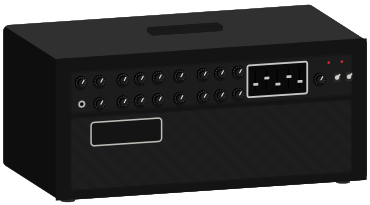
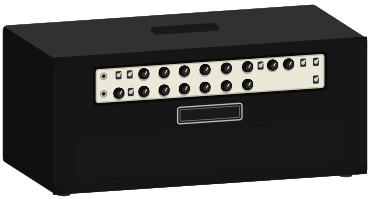
real amps, each read from its schematic, ready to send to your Helix LT.

installs straight to a slot

If your modeler has a mic input, four sends and returns and a separate PHONES knob, you have a Helix Floor. If it is a 3U rack, read the Helix Rack guide. The sound engine is the same across all three.

the guide

7 chapters

your Helix LT models → the real amp

01

6 of 49 real amps8 of 49 real ampsevery Helix LT model

top for your Helix LT

02

read this first

03

five things that explain almost every problem.

  1. 01

    footswitches that seem dead are in the wrong mode.

    The footswitches do not have fixed jobs. What they do depends on the mode. To change mode, press FS6, marked MODE.

  2. 02

    save, or you lose it.

    Nothing is saved until you press SAVE twice. Until then, an “E” beside the preset name marks it as edited. Change preset while the E shows and the edit is lost, with no warning and no undo.

  3. 03

    the cab block goes off when you feed a real amp.

    Cab block ON into anything full-range: headphones, an FRFR speaker, the desk, your computer. Cab block OFF into anything that ends in a real guitar speaker. A cab block is a speaker simulation. Into a real cab it stacks two speakers. Left off into a full-range system, you hear a raw amp with no speaker at all.

  4. 04

    one volume knob moves every output.

    The LT has one volume knob for every output, headphones included. They all move together.

  5. 05

    four amps in total, and no more than two on either path.

    Four in total, and no more than two on either path. A wet/dry/wet rig hits the two-per-path half of the rule first.

presets for your Helix LT

04

49 with a factory model matchpresets for Helix LT

learn · 8 lessons · 49 min

05
  1. 01what you actually bought4
  2. 02making a sound, correctly6
  3. 03the controls you will use7
  4. 04plugging it into things7
  5. 05how presets are built, and what runs out8
  6. 06snapshots, and why your sound cuts out6
  7. 07what the models are5
  8. 08playing live6

reference · 14 pages

06
  • controls and footswitchesinteractive
  • inputs and outputsinteractive
  • specifications
  • levels
  • cabs and IRs
  • rig setupinteractive

open the reference

which one to buy

07

which Helix should you buy?

five full-size Line 6 modelers that share a sound engine and differ in chassis, connections and generation. These are the lines where they differ.

Helix Stadium XL Floor · Helix Stadium Floor · Helix Floor · Helix Rack · Helix LT

compare them

installing presets

08

presets install straight into a slot you pick.

full steps

Line 6 · Helix LT 3.80

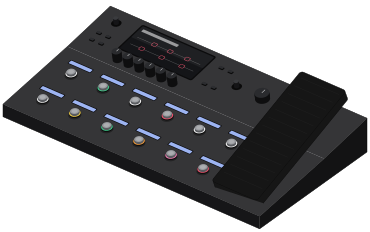
A full-size Helix floorboard with the same processing as the Floor and fewer jacks. It has the same two paths, 32 block locations, eight snapshots and models. Only the I/O and a few panel controls are cut back.