neural dsp · floor modeler

Nano
Cortex

Neural DSP Nano Cortex
start learningthe Nano Cortex
lessons
10
reference pages
16
firmware
nanos 2.2.1
reviewed
aug 12, 2026

setup, reference and fixes for your Nano Cortex. gridleak presets don't install on it yet.

the guide

7 chapters

common Nano Cortex problems

01
  • it sounds muffled, boxed-in or darkthe fix
  • it sounds raspy, buzzy or fizzythe fix
  • my presets are all at different volumesthe fix
  • the quarter-inch outputs sound quieter and duller than headphonesthe fix
  • it clips badly when I turn the cab sim offthe fix
  • there's hum, buzz or hissthe fix

6 of 24Nano Cortex fixes

read this first

02

five things that explain almost every problem.

  1. 01

    no amp models, only captures.

    You don’t dial an amp. You pick a snapshot of one amp at one set of knob positions. GAIN, BASS, MID and TREBLE are a generic tone layer bolted on afterwards, not the captured amp’s tone stack.

  2. 02

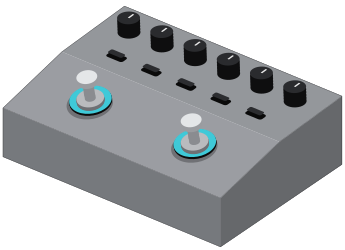
    both footswitches turn.

    They are rotary encoders you can also step on. Turn the left one to scroll captures and the right one to scroll cabs.

  3. 03

    cab sim on, or cab sim off. get it wrong and it sounds broken.

    The IR Loader is a speaker simulation. Turn it on for headphones, monitors and front-of-house, and off for anything that ends in a real guitar speaker. On top of a capture that already contains a mic’d cab, it sounds boxed in.

  4. 04

    the phone is half the instrument.

    There is no screen. The six knobs get you playing. The Cortex Cloud app does the rest. It picks which effect loads into a slot, edits anything deeper, finds and installs captures, renames presets and changes settings. There is no desktop editor.

  5. 05

    only 4 of the 64 presets are under your feet.

    Two footswitches, two presets each. The other 60 need a MIDI controller to reach. Plan a setlist around four sounds, or budget for a foot controller before your first gig.

learn · 10 lessons · 85 min

03

start at the beginning. unbox to first gig, in order.

  1. 01what it is6
  2. 02your first 15 minutes8
  3. 03the app is half the pedal11
  4. 04the signal chain7
  5. 05the cab sim rule6
  6. 06gain staging and levels9
  7. 07dialing tones8
  8. 08your first capture12
  9. 09presets and playing live10
  10. 10recording and reamping8

reference · 16 pages

04

look it up fast: tables, diagrams and fixes.

  • inputs and outputs
  • specifications
  • effects devices
  • factory capture decoderonly here
  • questions and answers
  • MIDI

open the reference

two ways in

Neural DSP · NanOS 2.2.1

why you can trust this

every claim carries its source

This guide draws on Neural DSP’s manual, FAQ, getting-started articles and firmware release notes, plus dealer spec sheets, professional reviews and owner reports. Every fact is labeled with where it came from.

Where sources disagree, both readings are shown. On this device Neural DSP’s own documentation contradicts itself in several places. Where nothing has been published, the claim is marked unverified instead of filled in with a plausible number.