devices · Nano Cortex · learn · 07 of 10 · 8 min
dialing tones
the one thing
Choose the capture first, shape with the IR second, and use the tone knobs last.
work in the right order
A capture is fixed, so dialing in starts with choosing and only then adjusting. Start with the tone knobs and an hour later you can end up somewhere worse than where you began.
- Pick a capture that is already close. Turn Footswitch I and audition—this is the big move.
- Choose the cabinet, then the microphone and position, in the app. This is your second-biggest tonal lever by a wide margin.
- Set the IR’s low-cut and high-cut. High-cut around 8–10 kHz removes digital fizz. Low-cut around 80 Hz tightens the bottom.
- Set GAIN for how hard you’re driving the capture.
- Add a pre-slot overdrive if you need more push or a different flavor of push.
- Only now touch BASS, MID and TREBLE.
the tone stack
BASS, MID and TREBLE sit after the capture and are not modeled on the captured amp. Neural DSP publish no center frequencies, unity positions or Q for them. Owners have asked, and the documentation hasn’t appeared.
So treat them as a generic three-band EQ you’re learning by ear, and prefer cutting to boosting. Cuts are more forgiving when you don’t know what a control is centered on.
using overdrive as a filter, not a distortion
Put Green 808 in Pre-FX 1 with drive at zero, tone up and level up. It works here as on any modeling device.
The pedal’s mid-hump and low-end roll-off tighten what hits the capture: more attack, less flub. It is standard practice for high gain and works as it would on a real amp.
Before NanOS 2.0.0 there were no overdrive devices, so this wasn’t possible.
recipes to start from
Starting points by tone target. Check the source label on each step: only two of these are community-verified. The rest is general amp-modeling knowledge applied to this device’s block names.
tone recipes
9 recipes
Sparkling clean
Bell-like, with headroom for days and no hair on the note.
- US Prince 65start from Fender '65 Princeton Reverb
- US HRDLX ChAstart from Fender Hot Rod Deluxe
- Watt Custom Clean
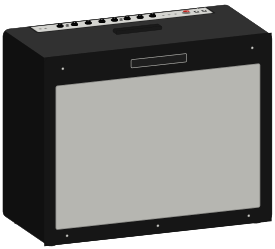
212 US TWN C12Q 00s or 110 US PRN C10R
- 01 · Capture
Pick a clean capture, then bring GAIN down further than feels necessary.
Nano CortexCommunity-verified: reducing GAIN cleans up most captures materially, and clean tones expose any grit immediately.
- 02 · Pre-FX 1
VCA Comp (M).
Nano CortexThe specific compressor the clean-tones thread recommends for this.
- 03 · IR Loader
Move the microphone off-axis and back a position from the default.
Nano CortexThe default 90°-on-cone position is the brightest and most aggressive. Backing off kills ice-pick without needing to dump treble.
- 04 · IR Loader
High-cut around 8–10 kHz, low-cut 50–80 Hz.
GeneralThe universal modeling fix for digital fizz, and it tightens the bottom without EQ boosts.
- 05 · Post-FX 3
Room or Hall at a low mix.
Nano CortexA close-mic'd cab has no room in front of it. Even a little reverb replaces what the microphone didn't capture.
- Level-match this preset first. Clean tones expose volume mismatches between presets more than anything else.
Warm jazz clean
Dark and round, with nothing needed above 6 kHz.
- NoMatch Chiefstart from Matchless Chieftain
- Comet 60
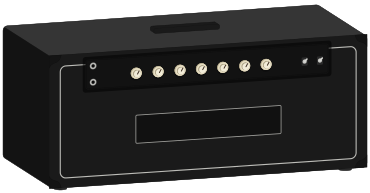
212 Match D30 Sig A, microphone further back and off-axis
- 01 · Capture
A low-gain class-A style capture with GAIN near minimum.
Nano Cortex - 02 · Pre-FX 1
Opto Comp (M).
Nano CortexOptical compression rounds the attack, which is most of the jazz feel.
- 03 · IR Loader
Roll high-cut down to around 5–6 kHz.
GeneralJazz tone is defined more by what's removed above the fundamental than by anything added.
- 04 · Tone stack
Cut upper-mid presence instead of boosting bass.
GeneralBoosting bass muddies the tone. Cutting presence darkens it without losing definition.
- 05 · Post-FX 3
Room at a low mix.
Nano Cortex
- There is no Nano-specific jazz recipe in the community. This is general knowledge applied to the device's blocks, and it's labeled that way.
Edge of breakup
Clean when you're gentle, growling when you dig in.
- Comet 60
- NoMatch Chiefstart from Matchless Chieftain
- US HRDLX ChAstart from Fender Hot Rod Deluxe
112 UK C15 Blue or 212 Match D30 Sig A
- 01 · Capture
Choose a capture that is already at the edge. Do not try to get there from a clean one.
Nano CortexThis matters more than any other point in these recipes. A capture is frozen at one setting, so a capture taken clean cannot break up like the real amp. The dynamic transition isn't in the snapshot.
- 02 · GAIN
Use GAIN to move around that edge, not to create it.
Nano Cortex - 03 · Pre-FX 1
Green 808 with drive low and level high, or Exotic Z Boost as a clean boost.
Nano CortexPushes the capture harder without adding its own distortion character.
- 04 · Playing
Guitar volume at 7–8, and ride it.
GeneralEdge of breakup is mostly a playing technique. Roughly 70% of it is your hands and your volume knob.
Classic rock crunch
Mid-forward, chunky, hits like a wall of Marshall.
- Brit 2555 Rhystart from Marshall Silver Jubilee 2555
- Brit 2555 Leadstart from Marshall Silver Jubilee 2555
- Bogna X100B Ch1start from Bogner Ecstasy 101B
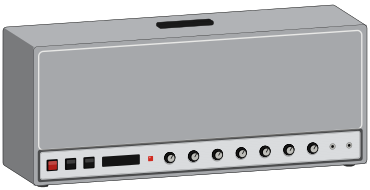
412 Brit TV GB75Hz '69 or 412 CA Trad S UKV30 90s
- 01 · Capture
A Silver Jubilee or Ecstasy channel-1 style capture.
Nano CortexThe community hunts Silver Jubilee captures specifically for AC/DC and Guns N' Roses territory.
- 02 · Pre-FX 1
Chief BD2 or Obsessive Drive for extra push.
Nano CortexImpossible before NanOS 2.0.0, which had no drive devices at all.
- 03 · Tone stack
Mids up, not down.
GeneralScooped mids are for metal. Classic rock crunch lives in the 500 Hz–1 kHz region.
- 04 · Post-FX 3
Room, low mix. Keep it dry.
Nano Cortex
Modern high gain
Tight and scooped, close to djent.
- PV 505Sigstart from Peavey 5150
- D-Cell H4 Ch3start from Diezel VH4
- ENG Energy
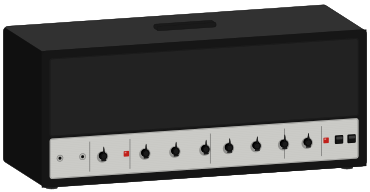
412 CA Stand OS A V30 '01
- 01 · Capture + cab
PV 505Sig into 412 CA Stand OS A V30 '01.
Nano CortexThis exact pairing is a verbatim community recommendation, one of only two verified recipes for this device.
- 02 · Pre-FX 1
Green 808 with drive at zero, tone up, level up.
Nano CortexThe classic Tube Screamer used as a filter, not a distortion. It tightens the low end and adds attack without adding gain.
- 03 · Input Gate
Use the fixed Input Gate, set on AMOUNT in the Capture Volume view.
Nano CortexAdded in NanOS 2.0.0 specifically as a permanent gate ahead of everything.
- 04 · IR Loader
High-cut 8–10 kHz aggressively, low-cut 80–100 Hz.
GeneralHigh-cut kills the digital fizz that makes high gain sound cheap. Low-cut keeps palm mutes tight.
- 05 · GAIN
Less than you think.
General
- Sound On Sound notes the adaptive gate may lack the speed djent players want.
- Into an amp's FX return there is no boost in front of the capture in the usual sense. Pick a capture that was already boosted.
Blues lead
Singing, vocal, enough compression to sustain.
- US HRDLX ChAstart from Fender Hot Rod Deluxe
- Comet 60
- Bogna Fish+290
212 US TWN C12Q 00s or 412 Brit TV GB75Hz '69
- 01 · Capture
A moderate-gain capture. Use the three tone knobs as your quick adjustment.
Nano Cortex - 02 · EQ
A mid boost around 800 Hz to 1 kHz.
GeneralThat's the band that cuts through a band mix without getting shrill.
- 03 · Post-FX 2
Tape Delay or Analog Delay, short time, low mix.
Nano Cortex - 04 · Post-FX 3
Room.
Nano Cortex - 05 · Solo boost
Map capture volume to an expression pedal instead of switching preset.
Nano CortexExpression changes aren't preset changes, so they avoid the ~60 ms switching gap. It is the clearest way to boost on this device.
- There's no dedicated boost. Use an expression pedal, or a duplicate preset with higher capture volume.
Ambient and post-rock
Washed out, endless, more texture than notes.
- US Prince 65start from Fender '65 Princeton Reverb
- Watt Custom Clean
212 US TWN C12Q 00s
- 01 · Capture
Clean capture, GAIN low.
Nano Cortex - 02 · Post-FX 1
Dream Chorus (ST) or MX Vibes.
Nano Cortex - 03 · Post-FX 2
Circular Delay or Dual Reverse Delay.
Nano Cortex - 04 · Post-FX 3
Mind Hall or Cave.
Nano CortexOwners single out Mind Hall for clean tones. It appears to be modeled on a Lexicon 224.
- 05 · Stereo
Use the (ST) stereo variants if you're on headphones or FRFR.
Nano CortexGuitar.com's own tip. The mono variants lose the stereo spread.
- 06 · Technique
Volume swells, high-cut on the repeats, reverb pre-delay for definition.
General
- The post chain is locked modulation → delay → reverb, so you cannot put chorus after delay. Guitar.com calls this out by name as the remaining rigidity.
- One delay and one reverb per preset. No dual-delay ambient stacks.
Funk
Glassy, and all attack.
- US Prince 65start from Fender '65 Princeton Reverb
- US HRDLX ChAstart from Fender Hot Rod Deluxe
212 US TWN C12Q 00s
- 01 · Pre-FX 1
Envelope Filter or Love Meat.
Nano CortexBoth are pre-only, so this is the one slot they can occupy.
- 02 · Pre-FX 2
Solid State Comp (M) or VCA Comp (M), fast attack.
Nano Cortex - 03 · IR Loader
A 2×12 American cab for glassiness.
General - 04 · Technique
Bridge or middle pickup, minimal reverb, GAIN low.
General
Clean bass DI
Full, even, ready for a mix.
- Amped SV Classicstart from Ampeg SVT-CL
- Aggi 751start from Aguilar DB 751
810 Amped VT Aln 70s or 115 Amped Modern
- 01 · Capture
A clean bass amp capture, GAIN low.
Nano Cortex - 02 · Pre-FX 1
Opto Comp (M) or VCA Comp (M).
Nano Cortex - 03 · IR Loader
Low-cut around 30–40 Hz.
GeneralRemoves subsonic content that eats headroom without contributing anything audible.
- 04 · Pre-FX 2
Microtubes B3K for grit, blended low.
Nano Cortex
- Bass coverage for this device is thin: one first-party video, one demo and one blog post. This recipe leans on general bass practice more than most here.