devices · Quad Cortex · reference · tone recipes
tone recipes
7 recipes
Big sparkly clean
A chimey clean. Keep every control modest: too much of anything spoils it.
- US TWN Vibratostart from Fender Twin Reverb (AB763)
- UK C30 TopBooststart from Vox AC30
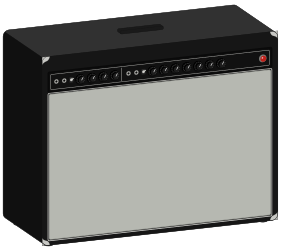
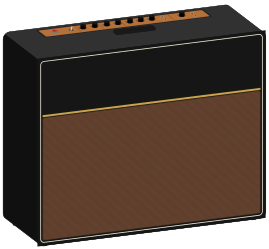
Whatever cab is paired with the amp by default—change it last, not first.
- 01 · Amp
Gain low, around 2–3.
Quad CortexA clean amp model still breaks up if you push it. Start below where you think.
- 02 · Tone
Treble up, mids down a touch.
GeneralScooped mids make a clean sound 'sparkle' instead of 'honk'.
- 03 · Compressor
Add one before the amp, gentle.
Quad CortexEvens out the picking so the sparkle doesn't disappear on quiet notes.
- 04 · Reverb
Put it on the second row, mixed low.
Quad CortexParallel keeps the note definition that a clean tone lives on.
- Clean tones peak much higher than they feel. Leave 12 dB of headroom or they clip at the desk.
Edge of breakup
Clean when you play softly, growling when you dig in. The most useful sound on the modeler.
- US DLX Vibratostart from Fender Deluxe Reverb (AB763)
- Brit TM45 Normalstart from Marshall JTM45
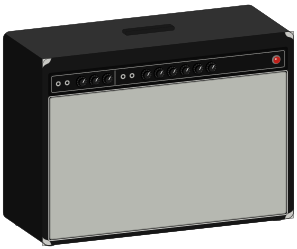
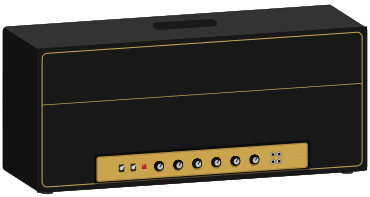
- 01 · Amp
Gain around 4–5, master up.
Quad CortexThe breakup should come from the amp working, not from a pedal in front.
- 02 · Playing
Set it with your hardest strum, then play normally.
GeneralIf it's clean at full attack, it will never break up.
- 03 · Drive
Add a light overdrive as a boost, gain near zero, level up.
Quad CortexPushes the amp harder without adding its own distortion.
Classic rock crunch
Plexi-style rhythm parts that cut without turning to mush.
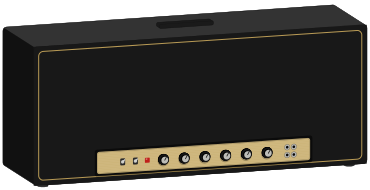
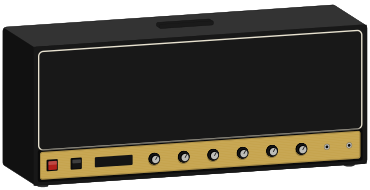
- Brit Plexi 100 Brightstart from Marshall Super Lead 100 (1959)
- Brit 2203start from Marshall JCM800 2203
- 01 · Amp
Gain 5–6, presence up.
Quad CortexPlexi-style amps get their bite from presence more than treble.
- 02 · Low end
Roll bass off slightly.
GeneralA crunch sound with too much bass disappears in a band.
- 03 · Drive
A Screamer-style pedal in front, gain low, level high.
Quad CortexIt tightens the low end as much as it adds gain.
Modern high gain
Tight and palm-mute friendly, with less gain than you expect.
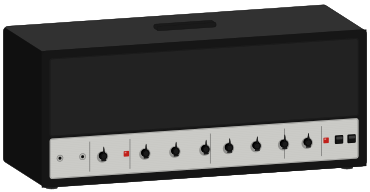
- CA Duo Ch3 Modernstart from Mesa Boogie Dual Rectifier (3-channel)
- EV101III Red
- PV-505 Leadstart from Peavey 5150

- 01 · Amp
Gain around 6, not 9.
Quad CortexPast a point more gain means less clarity. Modern amp models already have plenty.
- 02 · Drive
Screamer in front, gain at zero, tone up, level up.
Quad CortexThis tightening move is behind almost every modern metal tone.
- 03 · Gate
Add an Input Gate, only enough to stop the hiss.
Quad CortexHigh gain plus a gate is a package deal. Too much and your notes get chopped.
- 04 · Mids
Do not scoop them all the way.
GeneralA scooped tone sounds huge alone and vanishes the moment a band starts.
- The Input Gate is one of the first blocks the modeler switches off when a preset runs out of processing.
Lead that cuts through
A solo sound built as a scene on top of your rhythm, so it switches instantly.
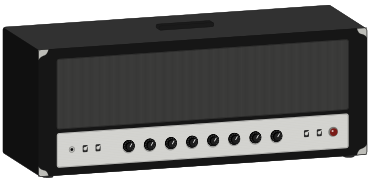
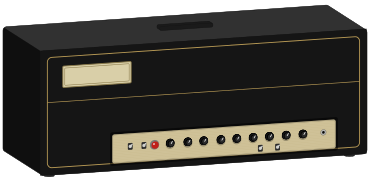
- Solo 100 Leadstart from Soldano SLO-100
- Freeman 100 Leadstart from Friedman BE-100
- 01 · Scenes
Build it as a scene inside your rhythm preset, not a separate preset.
Quad CortexScenes switch with no gap. A separate preset drops out mid-solo.
- 02 · Level
Add 2–3 dB, not 10.
Quad CortexCutting through is about midrange, not volume. Too much level makes you louder, not clearer.
- 03 · Mids
Push the mids up for the lead scene.
GeneralThe frequency range where a guitar competes with vocals.
- 04 · Delay
Short delay, low mix.
Quad CortexAdds sustain without smearing fast passages.
Ambient wash
Big space that doesn't turn your playing to soup. This is what the Grid is for.
- US DLX Normalstart from Fender Deluxe Reverb (AB763)
- UK C15 TopBoost
- 01 · Grid
Split to row 2 after the cab, put reverb and delay there, mix back.
Quad CortexParallel means the wet sound sits beside your dry note instead of on top of it.
- 02 · Mixer
Set the wet row well below the dry row.
Quad CortexA wet path 3 dB hot sounds great alone and like mud in a band.
- 03 · Delay
Long, low mix, feedback moderate.
Quad CortexThe wash comes from repeats, not from a single loud echo.
- One reverb per row pair. If a second will not load, put it on rows 3 and 4.
Bass, straight to the desk
A clean, solid DI sound that an engineer will be happy with.
- Amped Super Valvestart from Ampeg SVT-CL
- Amped Flip-Topstart from Ampeg Heritage B-15
- 01 · Amp
Gain low, and let the amp model do the coloring.
Quad CortexBass distortion is much less forgiving than guitar distortion.
- 02 · Compressor
Gentle, before the amp.
Quad CortexEvens out string-to-string level, which matters far more on bass.
- 03 · Output
XLR to the desk, cab block on.
Quad CortexThe engineer wants a finished sound, not a raw DI they have to fix.